

Steps for Linking with LEVEL5 ID Account
Steps for Linking your LEVEL5 ID Account with
FANTASY LIFE i: The Girl Who Steals Time
Registering (acquiring) an account does not complete the link process with apps. If you do not link your account, the LEVEL5 ID Points (Status) earned for purchases made in-game will not be shared between other supported titles.
If you have a LEVEL-5 account and have not linked it, please follow the steps below to link it with this game.
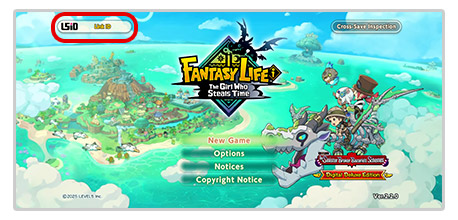
1
Select "Link ID" on the title screen

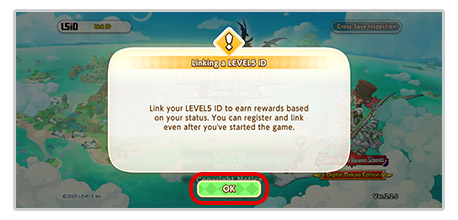
2
Select "OK"
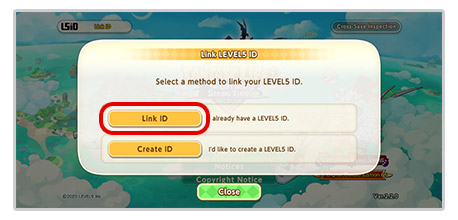
3
Select "Link ID"
4
Enter LEVEL5 ID account info
5
Select "OK" if you would like to link.
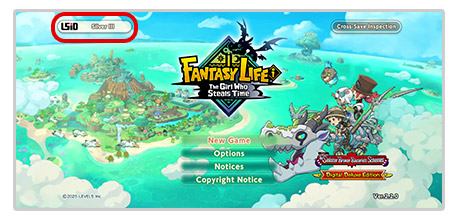
6
If the L5iD logo and your Status are displayed on the title screen of the app, then the link process is complete.
You can check your account link status on the LEVEL5 ID website.